Block Shorts & Reels by country.
Geo No is a free browser extension that skips or hides YouTube Shorts and Instagram Reels from the countries you choose. Scroll your feed without content you didn't ask for.
Chrome · Edge · Brave · Android app · iPhone web app · Open source (MIT) · No account, no tracking
How it works
YouTube and Instagram don't label videos with a country, and every Short or Reel comes from the same servers, so a normal website blocker can't help. Geo No checks each one as it appears.
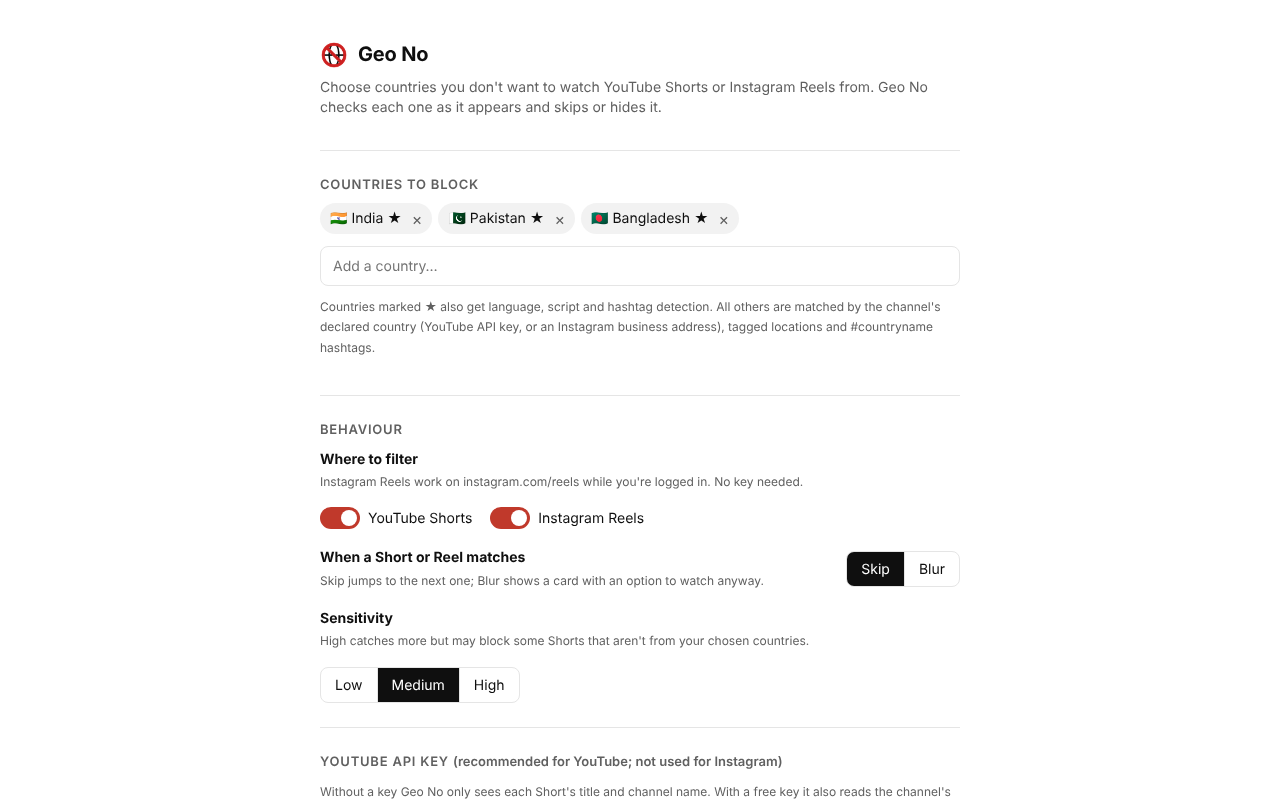
Pick countries
Choose any of 240+ countries and territories. Many people start with India, Pakistan or Bangladesh.
Geo No reads the clues
Channel country, tagged location, writing script, spoken language, Hinglish words and hashtags such as #mumbai or #desi.
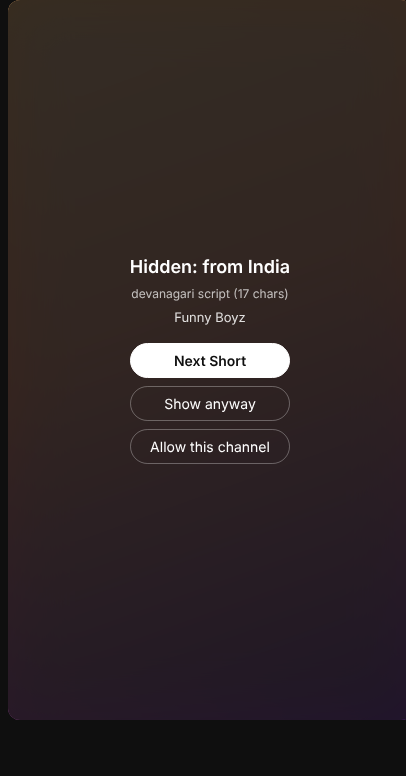
Skip or blur
Matching Shorts and Reels are skipped automatically, or blurred with "Show anyway" and "Allow this channel".
What it looks for
Clues are combined into a confidence score. You choose how strict it is with Low, Medium or High sensitivity.
| Signal | Example | Strength |
|---|---|---|
| Channel's declared country | country: IN | Decisive |
| Tagged location (Instagram) | Marine Drive, Mumbai | Strong |
| Writing script | Devanagari, Telugu, Tamil, Bengali, Thai, Hangul | Strong |
| Spoken language | Hindi, Tamil, Telugu, Marathi, Korean, Japanese | Strong |
| Romanised Hindi ("Hinglish") | bhai, yaar, kya, nahi | Medium |
| Hashtags and places | #mumbai #desi #bollywood #ipl | Medium |
Install in 2 minutes
- Download
geo-no-extension.zipfrom the latest release and unzip it. - Open
chrome://extensionsand turn on Developer mode. - Click Load unpacked and select the unzipped
extensionfolder. - Choose countries on the settings page that opens.
- Open
youtube.com/shortsorinstagram.com/reelsand scroll. - Optional, for YouTube: add a free YouTube API key for much better accuracy. Instagram needs no key. Step-by-step instructions are on the settings page.
A one-click Chrome Web Store version is on the way.
On your phone
Two free options. Neither needs an app store or an account.
Works inside the real Instagram and YouTube apps
Geo No reads the caption, account name and hashtags shown on each Reel or Short and swipes past (or covers) the ones from countries you block. Everything runs on your phone, with no internet requests at all.
- Download geo-no-android.apk on your phone and open it. Allow "install unknown apps" for your browser if asked.
- Open Geo No, choose countries, then tap Open Accessibility settings and switch Geo No on.
- Greyed out? On Android 13+ open App info → ⋮ → Allow restricted settings first (the app has a button for this).
- Open Instagram Reels or YouTube Shorts and scroll.
Android 7 or newer. Open source, about 150 KB.
A Shorts feed without the countries you skip
Open the web app, add a free YouTube API key once, and swipe through YouTube Shorts with your blocked countries filtered out. Add it to your home screen and it opens like an app.
iPhone doesn't let any app look inside Instagram or YouTube, so on iPhone this is a separate feed (YouTube Shorts only). On iPhone: Safari → Share → Add to Home Screen.
Questions
How do I block YouTube Shorts from a specific country?
YouTube has no built-in country filter. Install Geo No, choose the countries you don't want to see, and it skips or blurs matching Shorts as you scroll.
Can I block Indian content on YouTube Shorts?
Yes. That's what Geo No was first built for. It detects Indian Shorts from the channel's country, Indian scripts (Devanagari, Tamil, Telugu, Gujarati and more), the spoken language, Hinglish words and hashtags.
Is it accurate?
With a free YouTube API key, very. Without one, it only sees titles and channel names, so creators who write in English and don't state a country can slip through. If something is blocked by mistake, click "Allow this channel".
Can I block Instagram Reels from a country?
Yes. Geo No checks Reels on instagram.com/reels using the caption, tagged location, audio name and the account's bio, and skips or blurs the ones from countries you've blocked. No API key is needed for Instagram.
Does Geo No collect my data?
No. There's no server and no account. Settings stay in your browser, and the only requests go to YouTube, Google's YouTube Data API and instagram.com. Read the privacy policy.
Does it work on my phone?
Yes. On Android, the free Geo No app skips or covers Reels and Shorts inside the real Instagram and YouTube apps. On iPhone, Apple doesn't let any app do that, so use the Geo No web app: a YouTube Shorts feed with your blocked countries filtered out.